Convert images to PDF online for free, no sign-up
There are countless sites that convert images to PDF online for free, but not all of them are really free, and not all of them are safe for personal documents. This guide helps you pick the right tool and shows how to convert images to PDF online without signing up.
What to check in a free image to PDF converter
| Criterion | What to check |
|---|---|
| Really free | Limits on images, file size or number of uses |
| No sign-up | Whether it forces you to create an account |
| No watermark | Whether text or a logo is stamped on your pages |
| Where images are processed | Uploaded to a server, or handled on your device |
| Page options | A4, orientation, page order |
For personal documents such as ID cards, contracts and bank papers, where images are processed matters most: a tool that works inside your browser keeps your photos on your own device.
How to convert images to PDF online for free
- Open the free image to PDF converter. No account needed.
- Tap Upload images and pick your photos, or Take photo with camera to shoot a new one.
- Check the crop, put the pages in order and adjust them if needed.
- Choose the page fit and orientation, then tap Download PDF or Share PDF.
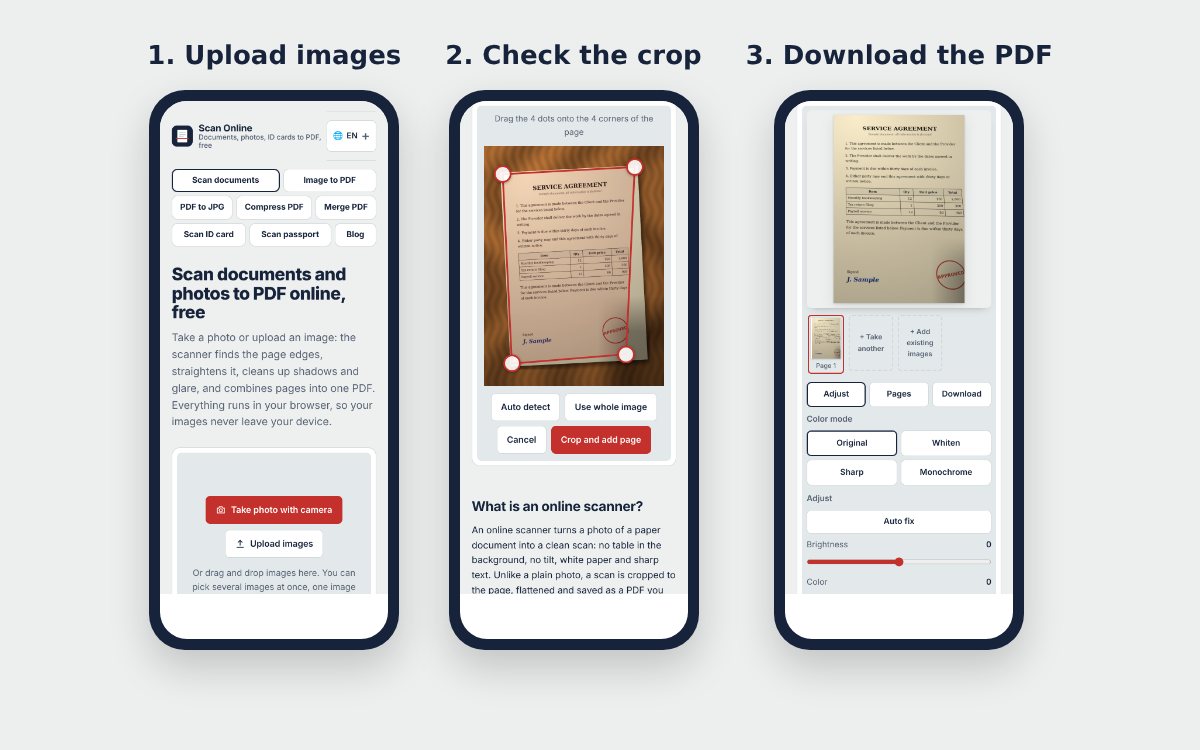
The converter on Scan Online processes images in your browser, needs no account, has no usage limit, and can be installed on your home screen to work offline.
Pick the right color mode
Photos of paper documents usually look gray or yellowish. Before downloading, choose a color mode for each page or apply one to all pages:
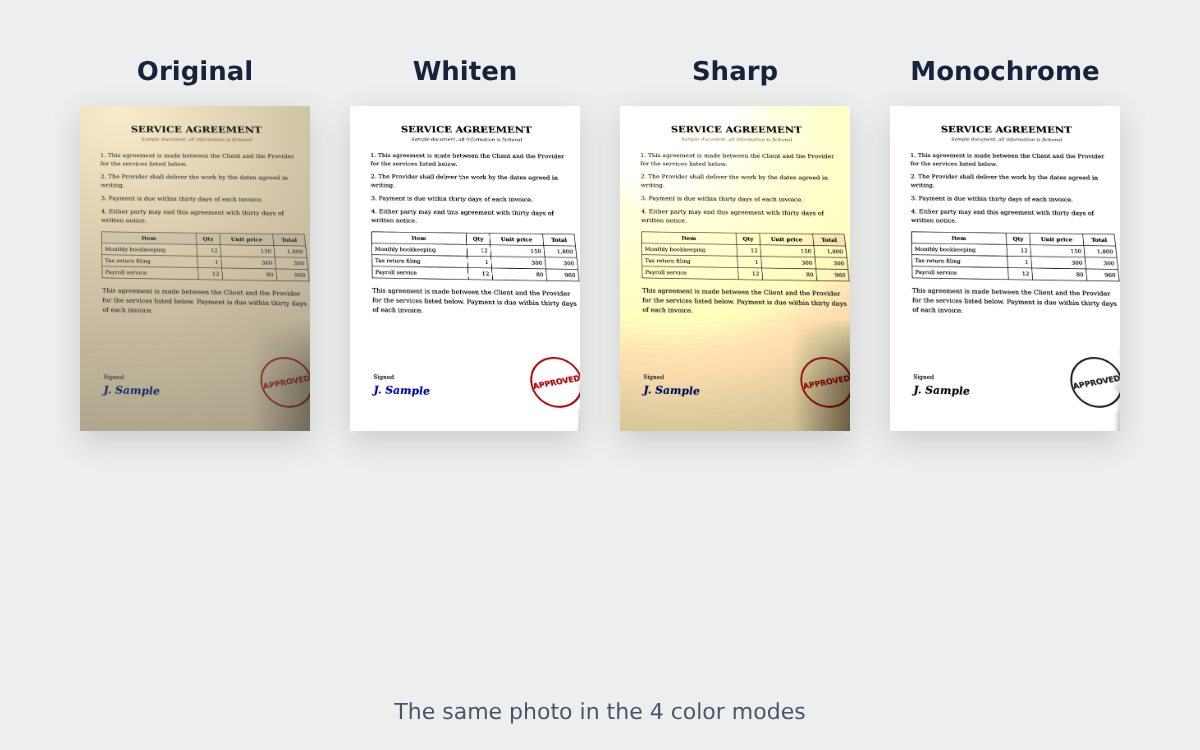
- Original for real photos, drawings and anything where color matters.
- Whiten for letters, forms and receipts: shadows go, the paper turns white and stamps keep their color.
- Monochrome for text-only documents you will print in black and white.
Is "free" really free?
Many tools say "free" but only allow a few tries, limit the number of images or lock features after a few files. Before you process a whole application, test with a couple of images to be sure the tool covers what you need.
Turning paper documents into a PDF rather than photos? The free online scanner does the same with automatic page detection. And if you already have PDFs to add, read how to merge images and PDF files into one PDF.
Frequently asked questions
Do free image to PDF converters have limits?
It depends. Some free versions limit the number of images or the file size, stamp a logo on the pages or require an account. Try a few images and read the terms first.
Is it safe to convert images to PDF online?
It is safer when the tool works inside your browser and does not upload your images to a server. For personal documents, check the tool's privacy terms carefully.
Do I need an internet connection?
You need it to open the page. Some tools can be installed on your home screen and then work offline.
More guides
How to compress a PDF under 1 MB or 500 KB for online forms
Compress a PDF under 1 MB, 500 KB or 200 KB for job applications, government portals and email: type the exact size, check readability, keep stamps and signatures.
Free online scanner: 4 ways to scan documents without paying
Four free ways to scan documents online with a phone or computer: pros and cons of each, how to choose, and privacy tips when you scan personal documents.
How to merge images and PDF files into one PDF
Combine JPG or PNG images and PDF files into one single PDF, place photos between PDF pages, each image fitted on an A4 page, on your phone or computer.