Scan a passport to PDF at real size on an A4 page
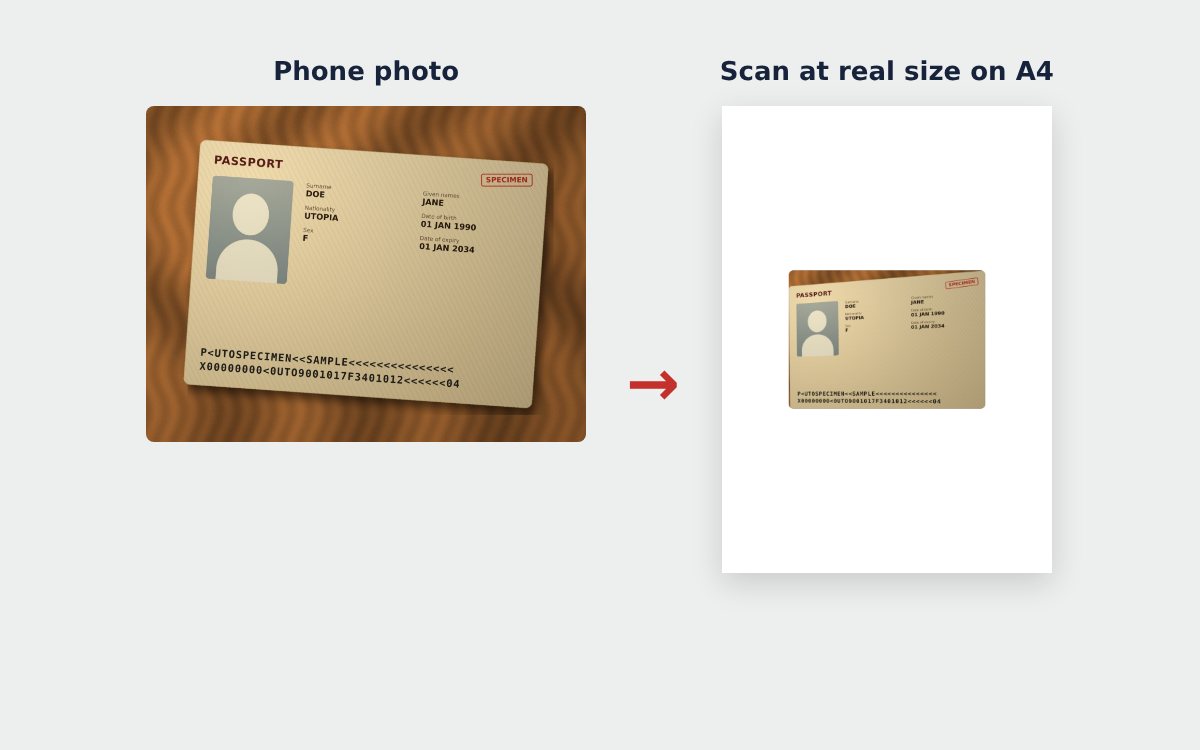
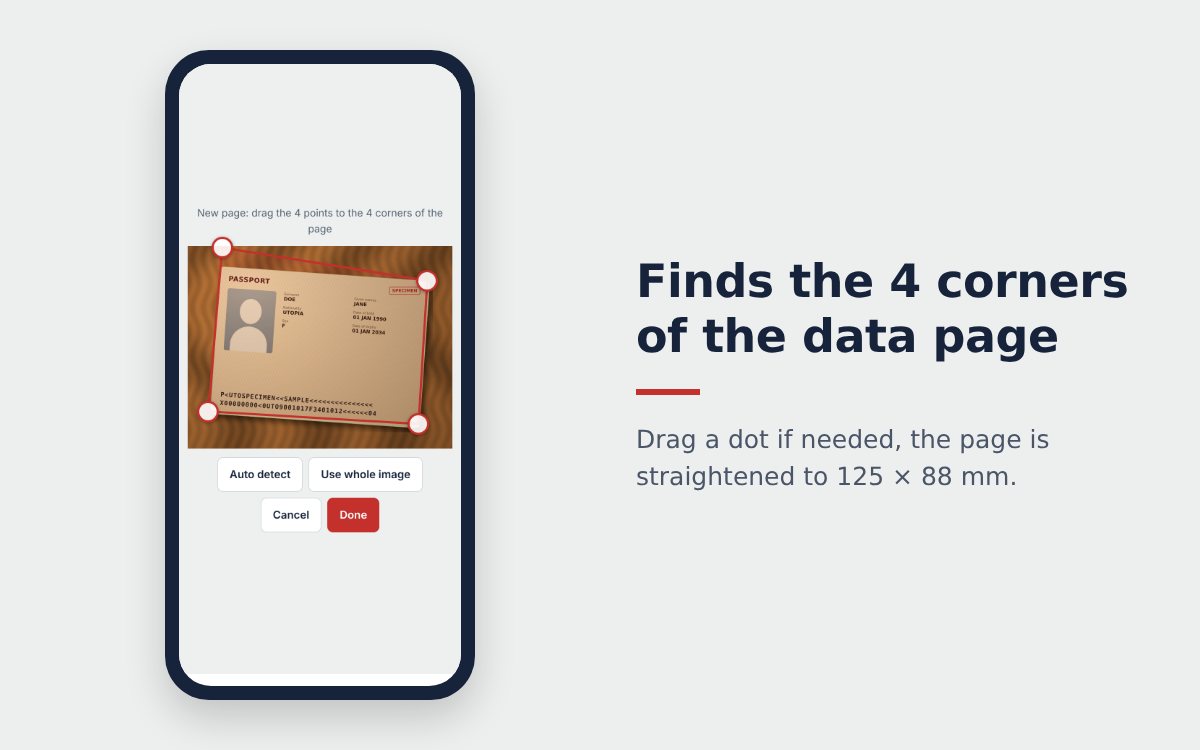
Many applications ask for a passport scan as a PDF on A4 paper, just like a photocopy. The passport scanner straightens your passport page to the real 125 × 88 mm size and places it on an A4 page, so you get a clean PDF in a few taps.
How to scan a passport to PDF
- Open the passport scanner and take or choose a photo of the data page.
- If needed, add a second page, such as the facing page or a visa page.
- Choose the A4 page layout and the print size.
- Tap Download PDF. The PDF is an A4 page with your passport page straightened at the right size.
PDF or JPG?
| JPG | ||
|---|---|---|
| Best for | Multi-page applications, email, printing | Photo upload boxes, a quick look |
| Page | An A4 page ready to print | An image of the A4 page at 300 dpi |
| Combine with other documents | Easy with Merge PDF | Convert to PDF first |
Scan several pages into one PDF
Need more than the data page? Add pages one by one or select several photos at once, even an existing passport PDF. Choose Actual size, 2 open pages (176 × 125 mm) if you photograph the passport open on two pages. Each A4 page holds one or two passport pages and the download is a single multi-page PDF.
Print at actual size
Choose Actual size, 1 page (125 × 88 mm) when you scan. In the print dialog, pick 100% or Actual size, never "Fit to page". The passport page on paper will then be exactly as large as the original, like a copy-shop photocopy.
If you would rather have bigger text on paper, choose 1.5× larger.
Combine your passport with other documents
Applications often need a bundle: passport, ID card, proof of employment, bank statements. Scan each one to PDF, for example with the ID card scanner for your card and the free online scanner for multi-page papers, then put them together with Merge PDF. If the final file is too heavy, compress the PDF to the allowed size.
More tips in how to scan a passport with your phone.
Frequently asked questions
Does the passport PDF print at the real size?
Yes, if you choose Actual size when you scan and print at 100%, without Fit to page.
Should I send my passport scan as PDF or JPG?
Follow what the recipient asks. A PDF suits multi-page applications and email, a JPG suits photo upload boxes on websites.
How do I put my passport and ID card in one PDF?
Scan each document to PDF, then use Merge PDF to combine them into one file in the order you want.
More guides
How to compress a PDF under 1 MB or 500 KB for online forms
Compress a PDF under 1 MB, 500 KB or 200 KB for job applications, government portals and email: type the exact size, check readability, keep stamps and signatures.
Free online scanner: 4 ways to scan documents without paying
Four free ways to scan documents online with a phone or computer: pros and cons of each, how to choose, and privacy tips when you scan personal documents.
Convert images to PDF online for free, no sign-up
Convert images to PDF online for free with no account or app. How to pick a safe tool that does not upload your photos, and the steps to turn JPG or PNG into PDF.